A journal that sits next to your habits
HabitLine includes a journal with folders and notes, plus quick notes for fast capture. Writing next to your habit and goal data makes it easy to reflect on why a week went well or badly.

Free plan · Windows 10 & 11 · No account needed
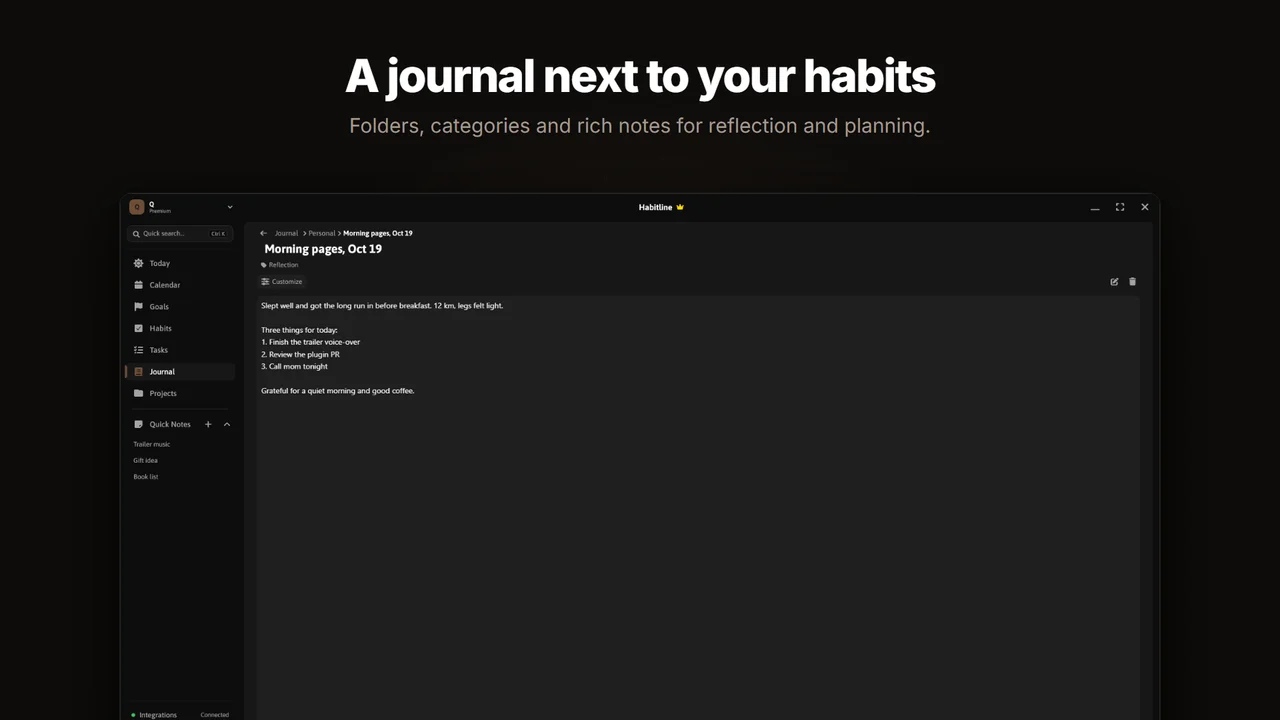
How people use it
- A daily or weekly review folder.
- A folder per project or goal.
- Gratitude notes (see the gratitude habit guide).
- Quick notes for ideas you want out of your head right now.
Make journaling a habit
Pair the journal with a "Journal" habit and an evening reminder, so writing becomes part of your streaks. Journaling habit guide.
Common questions
How many journal entries are free?
The free plan includes 5 journal entries. Premium and Lifetime are unlimited.
Is my journal private?
In guest mode it stays on your PC. If you sign in, it is stored with your account so it can sync; see the privacy policy.
Is HabitLine free?
Yes. The free plan never expires and includes 5 habits, 3 goals, 3 tasks, 5 journal entries and 1 project. Premium removes those limits and adds the full calendar view for $4.99/month, $49.90/year or $149 once.
Do I need an account to use HabitLine?
No. HabitLine runs in guest mode with your data stored locally on your PC. Signing in is optional and syncs your habits, goals, tasks and settings across your Windows PCs.
Related
Start tracking on Windows today
HabitLine is a desktop habit tracker for Windows 10 and 11. Free to start, no account needed.
Free plan · Windows 10 & 11 · No account needed