Goals that connect to your daily habits
HabitLine lets you set a goal with a start and target date, split it into milestones and link the habits that drive it. Progress shows on the goal and in Statistics, next to your habits and tasks.

Free plan · Windows 10 & 11 · No account needed
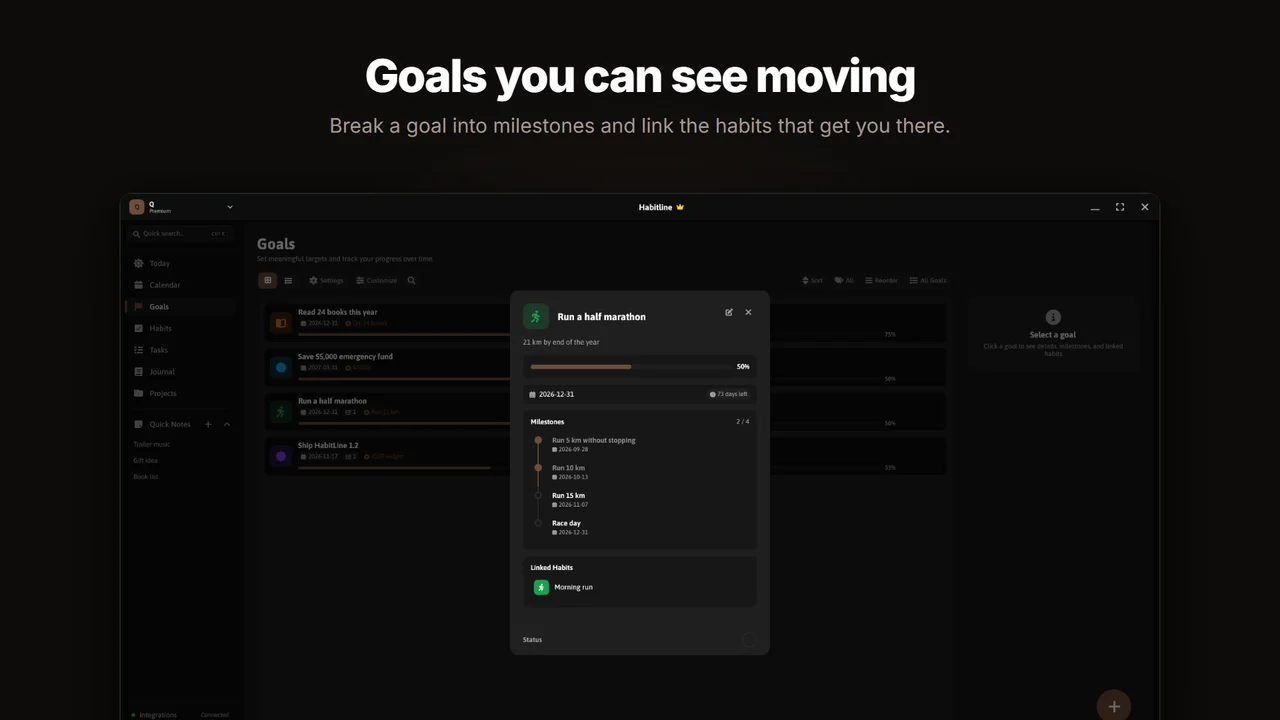
From a big goal to today
A goal like "Run a half marathon" becomes milestones (5 km, 10 km, 15 km, race day) and a linked habit ("Run" on Monday, Wednesday and Saturday). Each day the habit appears on your Today view, and finishing milestones moves the goal forward.
What a goal holds
- Name, description, colour, icon and category.
- Start date and target date.
- Milestones you tick off as you reach them.
- Linked habits, shown with the goal’s colour and icon.
- Archive finished goals and keep the history.
Bigger work goes on a board
When a goal turns into a project with many moving parts, use a Kanban project board with your own columns and item types.
Common questions
How many goals can I track for free?
The free plan includes 3 goals. Premium and Lifetime have unlimited goals.
Can a habit belong to a goal?
Yes. Link a habit to a goal and it shows with the goal’s colour and icon, so daily actions stay tied to the bigger aim.
Is HabitLine free?
Yes. The free plan never expires and includes 5 habits, 3 goals, 3 tasks, 5 journal entries and 1 project. Premium removes those limits and adds the full calendar view for $4.99/month, $49.90/year or $149 once.
Do I need an account to use HabitLine?
No. HabitLine runs in guest mode with your data stored locally on your PC. Signing in is optional and syncs your habits, goals, tasks and settings across your Windows PCs.
Related
Start tracking on Windows today
HabitLine is a desktop habit tracker for Windows 10 and 11. Free to start, no account needed.
Free plan · Windows 10 & 11 · No account needed