A daily planner with your habits built in
HabitLine’s Today view shows the habits, tasks, goals, projects and notes for the day on one screen. Unfinished tasks can roll over to tomorrow automatically, and the calendar shows progress day by day.

Free plan · Windows 10 & 11 · No account needed
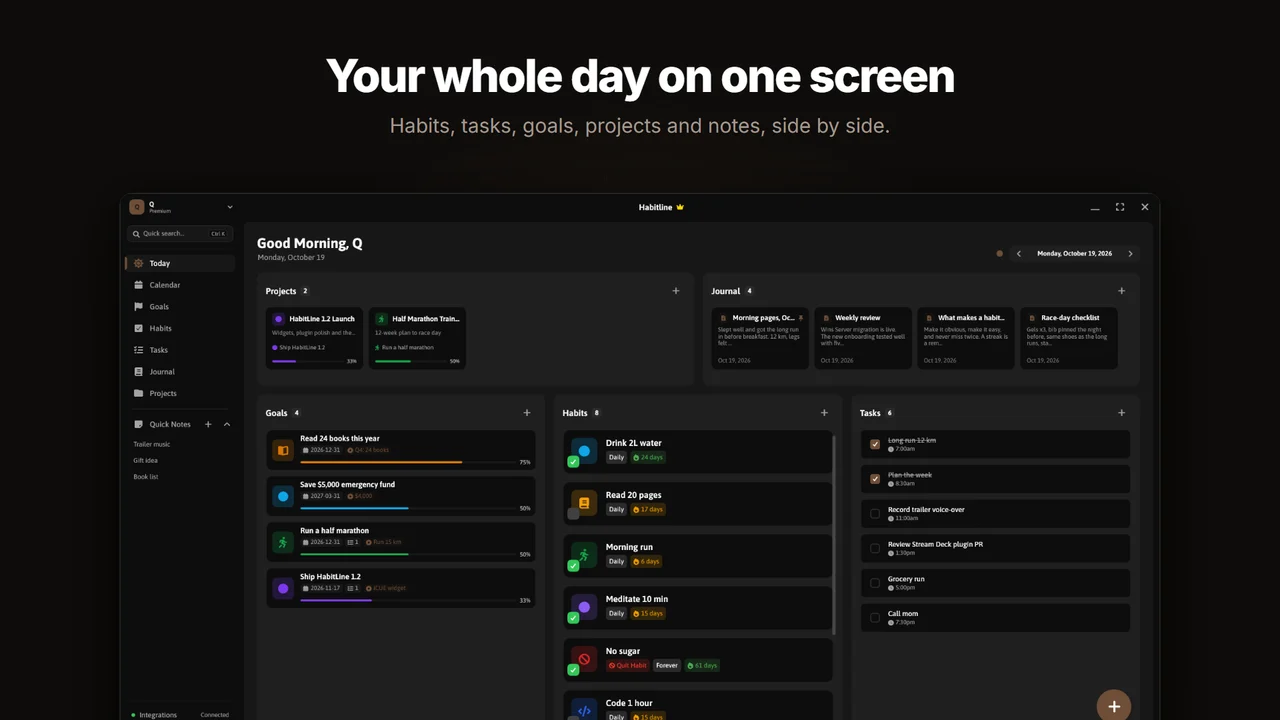
A day in HabitLine
- Morning: open Today, check your habits and the 3 tasks that matter.
- During the day: tick tasks off; log habits from the app.
- Evening: write a short journal note and look at the day on the calendar.
- Anything left over moves to tomorrow if Auto Reschedule Tasks is on.
Planner features
- Tasks with priority and progress.
- Calendar with day-by-day progress (full calendar view on Premium).
- Choose the default tab that opens first.
- Quick notes beside your plan.
Common questions
Do unfinished tasks carry over?
Yes. Turn on Auto Reschedule Tasks in Settings and unfinished tasks move to the next day.
Is the calendar free?
The free plan has the calendar basics; Premium unlocks the full calendar view.
Is HabitLine free?
Yes. The free plan never expires and includes 5 habits, 3 goals, 3 tasks, 5 journal entries and 1 project. Premium removes those limits and adds the full calendar view for $4.99/month, $49.90/year or $149 once.
Do I need an account to use HabitLine?
No. HabitLine runs in guest mode with your data stored locally on your PC. Signing in is optional and syncs your habits, goals, tasks and settings across your Windows PCs.
Related
Start tracking on Windows today
HabitLine is a desktop habit tracker for Windows 10 and 11. Free to start, no account needed.
Free plan · Windows 10 & 11 · No account needed